Jenkins
4 articles in this category.
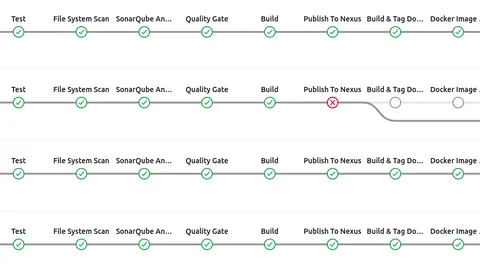
Project Introduction: End-to-End DevOps with Java-Maven Application
In this project, we will embark on a comprehensive journey to learn the entire process from development to deployment and release. We will use a Java-Maven demo application to demonstrate the various stages and tools involved in modern DevOps practices. Our focus will include Docker, Docker image versioning, Kubernetes deployment, Jenkins CI/CD, Trivy, NexusHub, GitHub,…

Jenkins Intro
Jenkins is a widely used open-source automation server that facilitates the continuous integration and continuous delivery (CI/CD) of software projects. It is highly extensible and offers a vast array of plugins to support the automation needs of various software development processes. Here are some key details about Jenkins: Overall, Jenkins is a powerful automation server…
CICD Best Practices
🛠️ Automate Everything: 🔄 Version Control: 📁 Single Repository: 🏗️ Build Automation: 🤖 Automated Testing: ⚡ Parallel Testing: 🚄 Fast Builds and Tests: 📦 Artifact Management: 🌐 Environment Parity: 🚀 Infrastructure as Code (IaC): 🛠️ Configuration Management: 🚦 Continuous Delivery vs. Continuous Deployment: 🔄 Incremental Deployment: 🚩 Feature Flags: 📊 Monitoring and Logging: 🔐 Security…
Jenkins Installation
Add the Jenkins repo key $ wget -q -O – https://pkg.jenkins.io/debian-stable/jenkins.io.key | sudo apt-key add – Add the Debian package repository $ sudo sh -c ‘echo deb http://pkg.jenkins.io/debian-stable binary/ > /etc/apt/sources.list.d/jenkins.list’ Update the repo with the system $ sudo apt update If get an issue during the Jenkins repo update run the following command sudo…