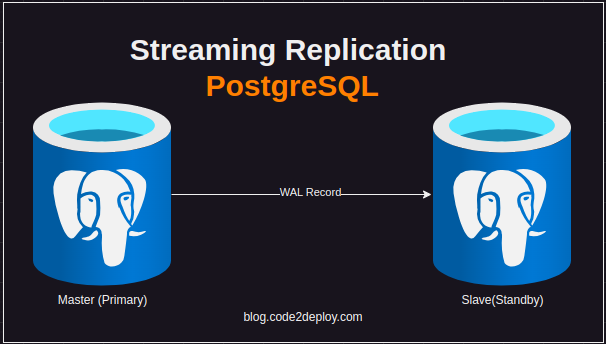
PostgreSQL is a powerful relational database management system known for its reliability, extensibility, and security features. Setting up PostgreSQL in a production environment requires careful consideration of security, user management, database configuration, remote access, and integration with applications. In this guide, we’ll provide step-by-step instructions, including all required commands and configurations.
Step 1: Install PostgreSQL
- Install PostgreSQL:
- Ubuntu 22.04:
| sudo apt update sudo apt install postgresql postgresql-contrib |
- CentOS 8:
| sudo dnf install postgresql-server sudo postgresql-setup –initdb sudo systemctl enable –now postgresql |
Verify Installation:
- Ensure PostgreSQL is running:
| sudo systemctl status postgresql |
Step 2: Secure PostgreSQL Installation
- Change Default Password for PostgreSQL User:
| sudo -u postgres psql -c “ALTER USER postgres PASSWORD ‘new_password’;” |
Enable Remote Access (if required):
- Edit pg_hba.conf to allow remote connections securely.
Configure Firewall (if required):
- Allow PostgreSQL traffic on the firewall:
| sudo firewall-cmd –zone=public –add-port=5432/tcp –permanent sudo firewall-cmd –reload |
Step 3: Create Database and Users
- Access PostgreSQL Shell:
| sudo -u postgres psql |
- Create Database:
| CREATE DATABASE production_db; |
- Create Application User:
| CREATE USER app_user WITH ENCRYPTED PASSWORD ‘user_password’; |
- Grant Privileges:
| GRANT ALL PRIVILEGES ON DATABASE production_db TO app_user; |
Step 4: Configure PostgreSQL for Production
Optimize Configuration:
- Adjust postgresql.conf for production settings, including memory, connections, and logging.
Enable SSL Encryption:
- Configure PostgreSQL to use SSL for secure connections.
Enable Connection Pooling:
- Install and configure connection pooling software like PgBouncer or pgpool-II to handle multiple client connections efficiently.
Step 5: Integrate with Application
Install PostgreSQL Client Library:
- Install the appropriate PostgreSQL client library for your programming language (e.g., psycopg2 for Python, pg gem for Ruby).
Connect Application to PostgreSQL:
- Use connection strings with proper credentials to connect your application to PostgreSQL.
Handle Errors and Transactions:
- Implement error handling and transaction management in your application to ensure data consistency and reliability.
Step 6: Monitor and Maintain PostgreSQL
Monitor Performance:
- Use tools like pg_stat_activity and pg_stat_statements to monitor PostgreSQL performance and identify bottlenecks.
Backup and Recovery:
- Set up regular backups using pg_dump or a backup tool and test the restoration process.
Apply Software Updates:
- Keep PostgreSQL up-to-date with the latest security patches and bug fixes.
Conclusion
Setting up PostgreSQL in a production environment involves installing, securing, configuring, and integrating PostgreSQL with your applications. By following this guide, you should have a fully functional PostgreSQL deployment ready to handle production workloads securely and efficiently. Regular monitoring, maintenance, and security updates are essential for maintaining the reliability and performance of your PostgreSQL database.